
Office Printer vs. Multifunction Printer: Which is Right for Your Business?
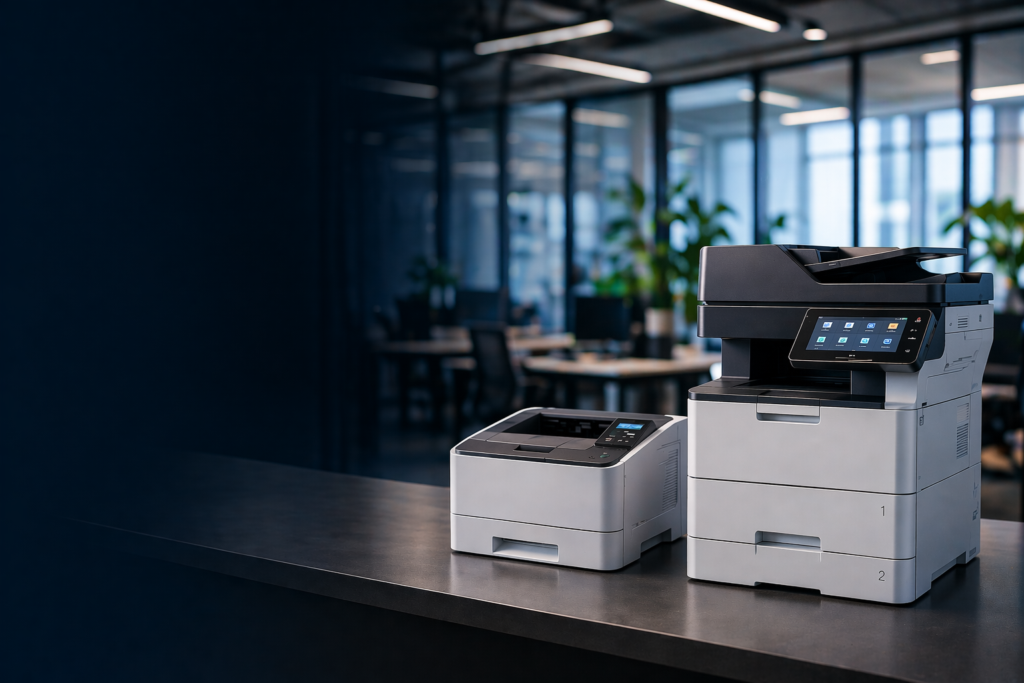
Why This Decision Matters More Than You Think
Choosing between a single-function office printer and a multifunction printer (MFP) might seem like a straightforward equipment purchase. In practice, it is one of the most consequential decisions an operations leader, IT manager, or procurement officer makes — because the wrong choice compounds quietly over time in the form of higher per-page costs, redundant devices, underutilized space, and unmanaged security exposures.
This guide is designed to give you a clear, honest framework for making the right call for your organization. We will cover what each device type does best, where each falls short, and how to match the right solution to your specific business environment.
What Is an Office Printer?
An office printer — also called a single-function printer (SFP) — performs one task: printing. It receives a document from a connected computer or network and produces a physical output. That is where its function ends.
Single-function printers are available in a wide range of formats, from compact desktop inkjet units to high-speed laser printers designed for dedicated workstations. They are typically lower in upfront cost and simpler to configure than MFPs, making them attractive for specific low-complexity scenarios.
Common Use Cases for Single-Function Printers
- Dedicated label or receipt printing at a point-of-sale or shipping station
- High-volume, single-purpose photo or wide-format output
- Small offices or home offices with minimal print demand
- Specialized print environments (e.g., clinical label printers in healthcare)
What Is a Multifunction Printer (MFP)?
A multifunction printer — also referred to as an MFP, all-in-one printer, or multifunction device (MFD) — combines printing, copying, scanning, and often faxing into a single networked device. Enterprise-grade MFPs also include advanced document management features such as pull-print authentication, cloud connectivity, secure erase, and integration with document management software.
MFPs are the standard choice for team environments, multi-floor offices, and any organization managing significant document output across multiple users or departments.
Common Use Cases for Multifunction Printers
- Law firms managing high-volume document production and discovery
- Healthcare facilities handling patient records, forms, and compliance documentation
- Construction and engineering firms printing large-format plans alongside standard office documents
- Educational institutions managing administrative, student-facing, and faculty output
- Any business with 5 or more users sharing document output needs
Office Printer vs. MFP: Side-by-Side Comparison
Use the table below to evaluate the two device categories across the dimensions that matter most for business procurement decisions.
| Feature | Single-Function Printer | Multifunction Printer (MFP) | Edge |
| Primary Function | Print only | Print, copy, scan, fax | MFP |
| Upfront Cost | Lower ($150–$800) | Moderate–Higher ($400–$5,000+) | Single-Function |
| Total Cost of Ownership | Higher (multiple devices) | Lower (consolidated fleet) | MFP |
| Space Required | Small footprint | Larger footprint | Single-Function |
| Print Speed | Moderate to fast | Fast to very fast | Tie / MFP at enterprise |
| Print Quality | Often specialized (photos, labels) | Professional business quality | Tie by use case |
| Scanning / OCR | Not available | Built-in (often advanced) | MFP |
| Document Security | Basic | Advanced (pull-print, PIN, audit logs) | MFP |
| Network Integration | Basic to moderate | Full network & cloud-ready | MFP |
| IT Management | Per-device management | Centralized fleet management | MFP |
| Managed Print Eligible | Limited | Fully eligible | MFP |
| Best For | Low-volume / specialty | Mid-to-high-volume / multi-user | Depends on volume |
Table note: Cost ranges are approximate and vary by brand, configuration, and volume. Repro Products provides free needs assessments to help determine the right device tier for your environment.
What Does Each Option Actually Cost? (Total Cost of Ownership)
Upfront purchase price is only one component of the true cost of a print device. Decision-makers who focus solely on sticker price consistently underestimate their total print spend. The more accurate metric is Total Cost of Ownership (TCO) — which includes hardware, consumables, maintenance, energy, and IT management overhead.
Single-Function Printer: TCO Considerations
- Lower hardware cost, but consumables (ink cartridges in particular) carry a high cost-per-page
- Multiple single-function devices in one environment multiply supply costs and maintenance complexity
- Each device requires separate IT configuration, driver management, and support
- No eligibility for fleet-level Managed Print Services, which limits cost control options
Multifunction Printer: TCO Considerations
- Higher upfront cost is offset by consolidated consumables and a lower per-page rate
- One device replaces three to four single-function units, reducing fleet size and overhead
- Fully eligible for Managed Print Services (MPS), which typically reduces total print costs by 20 to 30 percent
- Service agreements provide predictable monthly costs and guaranteed response times
| Industry Data Point The average business spends between 1% and 3% of annual revenue on document output — and most cannot accurately report their cost per page. A Managed Print Services assessment from Repro Products provides a complete cost audit at no charge. |
Print Security: Why MFPs Have a Clear Advantage
Document security is a growing concern across every industry, and the print environment is one of the most commonly overlooked exposure points in an organization’s security posture. For businesses in healthcare, legal, finance, and education — where regulatory compliance is mandatory — this consideration is not optional.
Security Features Exclusive to Enterprise MFPs
- Pull-print authentication — print jobs are held in a secure queue until the authorized user authenticates at the device, eliminating uncollected output in shared spaces
- PIN and badge access — restricts device use to credentialed personnel
- Hard drive encryption and secure erase — protects data stored on the device
- Audit logging — provides a full record of who printed what, and when
- Firmware security updates — enterprise MFP vendors issue regular security patches through Managed Print programs
| Healthcare & Legal Alert HIPAA and attorney-client privilege both have implications for unsecured print output. Printed documents left in shared output trays represent a compliance exposure that pull-print authentication directly addresses. If your organization handles protected health information or privileged communications, MFP security features are not optional — they are a compliance requirement. |
Which Device Is Right for Your Industry?
Construction & Architecture, Engineering, and Construction (AEC)
Construction teams require both wide-format output for plan sets and standard office output for contracts, submittals, and correspondence. The right solution typically pairs a production-grade wide-format device with a networked MFP for office and jobsite documentation. Single-function printers rarely address the full output spectrum of an active project environment.
Healthcare
Healthcare facilities operate in a high-compliance, high-volume document environment. MFPs with pull-print authentication, HIPAA-compliant secure output, and integration with electronic health record (EHR) systems are the standard of care. Specialty clinical label printers may serve as supplemental single-function devices at point-of-care.
Legal
Law firms generate some of the highest per-matter document volumes of any professional services environment. Production-grade MFPs with cost-recovery tracking, matter coding, and high-speed finishing capabilities are essential for litigation support, discovery production, and client-facing deliverables. A managed print program ensures device uptime is protected by an SLA.
Education
K-12 and higher education institutions manage output across administrative offices, faculty workrooms, and student-facing environments. Centralized MFP fleets with usage controls, cost-per-department tracking, and durable high-volume specifications consistently outperform fragmented single-function deployments in educational settings.
How Managed Print Services Changes the Equation
Managed Print Services (MPS) is a program in which a qualified provider — like Repro Products — takes over the management of your entire print environment. This includes device monitoring, supply fulfillment, preventive maintenance, and service response, typically consolidated into a single monthly cost.
MPS programs are built around MFP fleets. Single-function printers can be included in a managed environment, but they do not offer the fleet visibility, remote monitoring, and cost-per-page transparency that make MPS financially impactful.
What a Managed Print Program Typically Includes
- Regular assessment and right-sizing of your device fleet
- Automated toner and supply fulfillment — supplies arrive before you run out
- Remote device monitoring and proactive service alerts
- Guaranteed response time SLAs for on-site service calls
- Consolidated monthly billing — one invoice for your entire print environment
- Quarterly print cost reporting and optimization recommendations
| Repro Products Managed Print Services Repro Products has provided managed print and office technology solutions to Atlanta-area and Southeast businesses since 1979. Our MPS programs are available for organizations of any size and include free initial assessments. We serve construction, healthcare, legal, education, and general commercial environments with Xerox, HP, Brother, and other equipment. |
How to Make the Final Decision: A Practical Framework
Use the following questions to guide your evaluation. If you answer yes to three or more in either category, the answer is clear.
Choose a Single-Function Printer If…
- You have a dedicated, single-purpose print need (labels, receipts, photos, wide-format)
- Your print volume is fewer than 500 pages per month per location
- You have one user or a very small team who does not share a device
- Your budget does not allow for an MFP at this stage
- You already have an MFP and need a specialized supplemental device
Choose a Multifunction Printer If…
- You have five or more users sharing print output
- Your monthly print volume exceeds 1,000 pages
- You regularly copy, scan, or fax documents
- You need document security features such as pull-print or audit logging
- You want to consolidate your vendor relationships and simplify billing
- You are evaluating a Managed Print Services program
- You operate in a regulated industry (healthcare, legal, financial services, education)
Frequently Asked Questions
What is the difference between a printer and a multifunction printer?
A standard office printer performs only one function: printing. A multifunction printer (MFP) combines printing, copying, scanning, and often faxing in a single device. Enterprise MFPs also include document security, cloud connectivity, and fleet management capabilities that single-function printers do not offer.
Are multifunction printers more expensive than regular printers?
MFPs typically carry a higher upfront cost than basic single-function printers. However, when total cost of ownership is considered — including consumables, maintenance, the cost of multiple single-function devices, and IT management overhead — MFPs consistently deliver a lower long-term cost for businesses with moderate to high print volume.
Can a multifunction printer replace a standalone copier?
Yes. Modern enterprise MFPs are designed to fully replace standalone photocopiers. They deliver equivalent or superior copy quality and speed while adding printing, scanning, and digital workflow capabilities that legacy copiers do not provide.
What is a Managed Print Service and do I need one?
A Managed Print Service (MPS) is a program in which a qualified provider manages your entire print environment — including devices, supplies, maintenance, and service — for a predictable monthly cost. If your organization has five or more devices, struggles with supply management, or lacks visibility into your print costs, an MPS assessment is worth requesting.
How do I know how many pages my office prints per month?
Most networked printers and MFPs log usage data that can be accessed through the device’s admin interface or a fleet management dashboard. If you do not have this visibility, Repro Products offers a complimentary print environment audit that measures actual usage, calculates your current cost per page, and identifies opportunities for consolidation and savings.
Which printer brands does Repro Products carry?
Repro Products is an authorized dealer for Xerox, HP, Brother, and KIP equipment. We carry the full line of office MFPs, production printers, wide-format devices, and specialty print solutions. Our team helps match the right equipment to your specific environment and volume requirements.
The Right Answer for Most Businesses Is the MFP
For the majority of mid-to-enterprise business environments, the multifunction printer is not just the better option — it is the more strategic one. It consolidates your device footprint, reduces your total cost of ownership, gives you document security capabilities, and opens the door to a Managed Print Services program that provides predictable costs and professional service support.
Single-function printers remain the right answer in specific, narrow scenarios: dedicated-use environments, specialty output stations, or supplemental devices alongside an existing MFP fleet.
The question is not simply which device is cheaper today. It is which infrastructure positions your business to operate more efficiently, more securely, and at lower cost over the next three to five years.
| Ready to make the right call for your business? Repro Products has helped Atlanta-area and Southeast businesses make smart equipment decisions since 1979. Whether you are evaluating your first MFP, consolidating an aging fleet, or exploring Managed Print Services, our team is ready to help. • Request a Free Print Cost Assessment — we audit your current environment and show you where the savings are. • Browse our Equipment Catalog — Xerox, HP, Brother, and KIP multifunction printers and office technology solutions. • Get a Service Quote — our maintenance agreements include guaranteed response times and supply fulfillment. • Order Supplies — toner, paper, and accessories for all major brands, delivered to your door. Visit reproproducts.com or contact our Atlanta office to speak with an equipment specialist. |